Settings
Settings & Tools
Settings is the control room for Ensoul. Everything here is stored on your own device — your keys, your models, your preferences. Nothing is synced to an Ensoul account, because there isn't one.
Where settings live
The web app and the mobile app group the same settings differently, so the first thing worth knowing is which layout you're looking at.
| Web (app.ensoul.so) | Android |
|---|---|
| Profile | Profile |
| Models, keys & APIs (contains Drift & reach-outs, Images, Voice and Web access as expandable sections) | Models, keys & APIs |
| Generation defaults | Generation defaults |
| Memory | Memory |
| — | Reach-outs & quiet hours |
| — | Voice |
| Appearance | Appearance |
| Data | Data |
Two differences matter in practice. On the web, Drift & reach-outs, Images, Voice and Web access are sections inside Models, keys & APIs — expand them to reach their controls. On mobile they are full screens of their own — except Web access, which lives inside Models, keys & APIs on mobile too rather than on a row of its own.
Profile
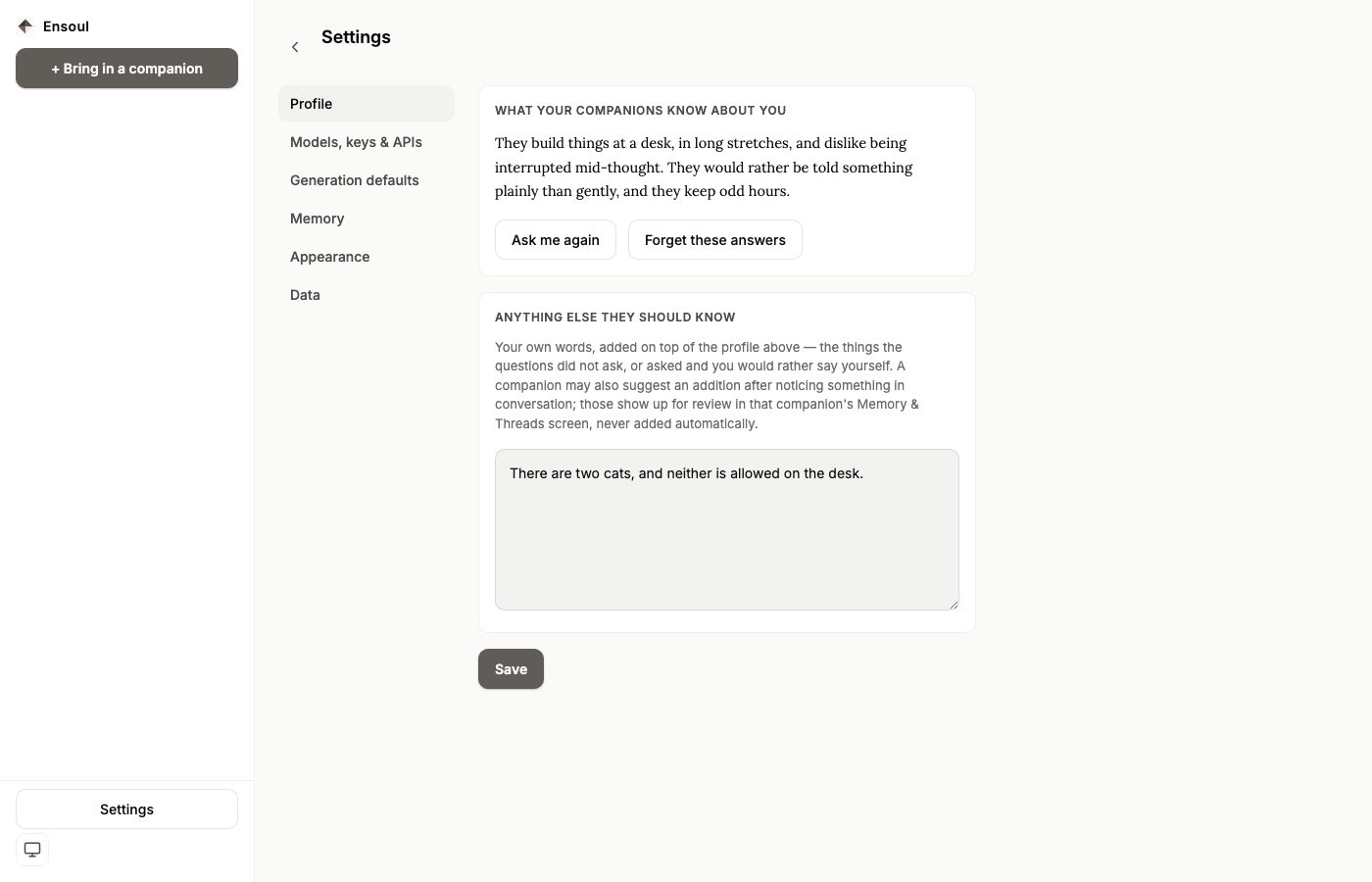
Two things, and the difference between them is worth knowing. Answer a few questions — four, all skippable — and the answers are written into a short profile of you: how you spend your days, what matters to you, how you like to be spoken to. It's shown as prose, it reads the same to every companion, and you can redo it or forget it at any time.
Below it, Anything else they should know is your own words: the things the questions didn't ask, or asked and you'd rather say yourself. Nothing the questions produce is ever written into that box, and nothing clears it but you — the profile is a summary the app wrote, and the box is you speaking, so they're kept apart on purpose. A companion is given both, profile first.
Models, keys & APIs
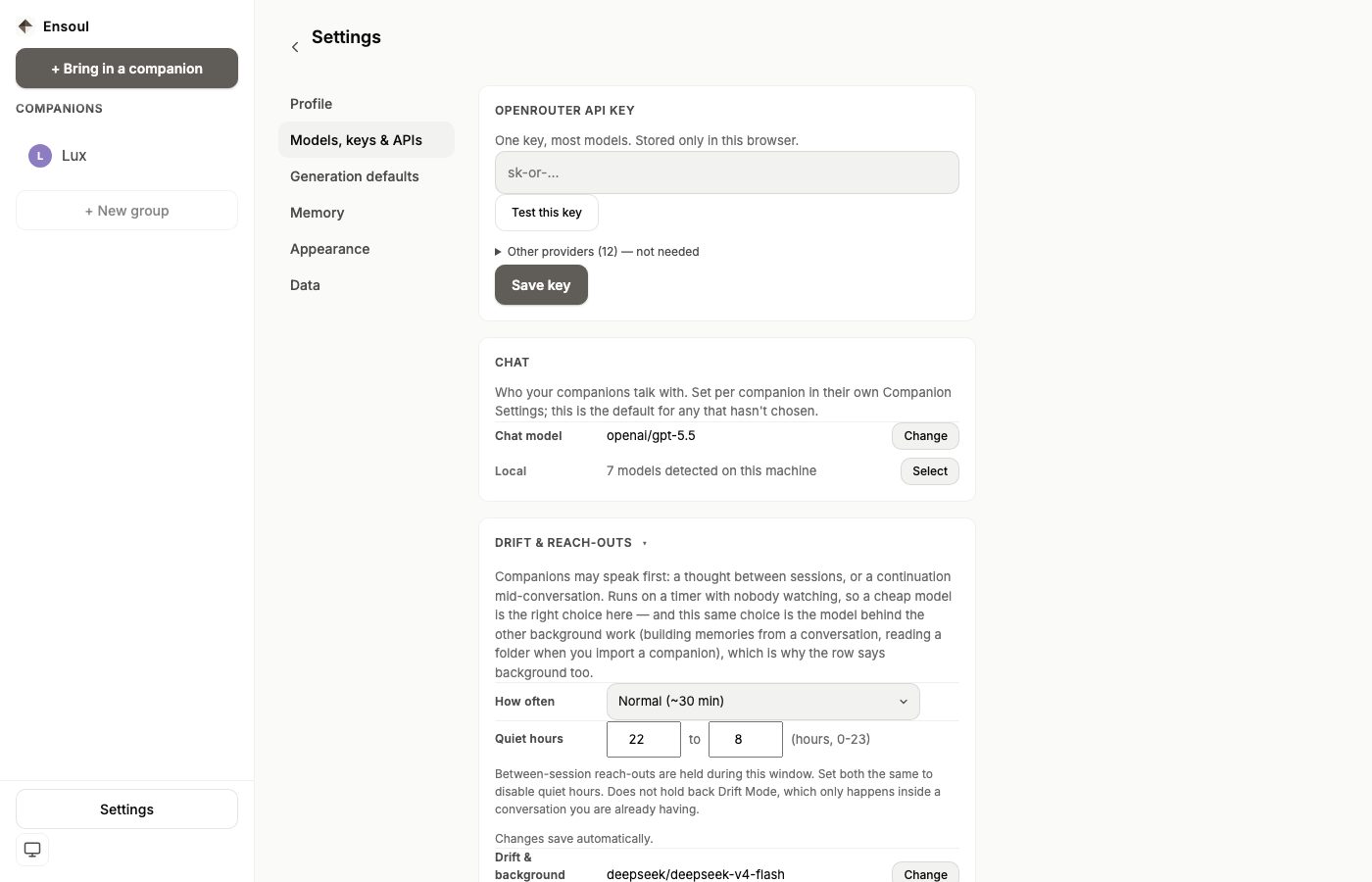
The largest part of Settings, and the one that decides how everything actually behaves. On the web it holds the API key, the chat model, reach-outs, images, voice and web access. On mobile it holds the key, the chat model and images, with reach-outs and voice promoted to their own screens.
API keys
Ensoul is bring-your-own-key. OpenRouter is the one provider you can add a key for today. One key covers most models — Claude, GPT, Gemini, Grok, DeepSeek and a large set of open-weight models — which is why it's the default recommendation if you're not sure what to pick.
Create an account at openrouter.ai, add a small credit balance, copy the key from your profile, and paste it into the OpenRouter field. On the web there's a Test this key button next to it; on mobile, simply save and send a message — a rejected key surfaces as an error in the conversation.
Below the OpenRouter field you'll see a collapsed list of other providers — Anthropic, OpenAI, Google, DeepSeek, Mistral, Groq and others. These are not yet available to enter. The underlying support for them is built and tested against their APIs, and they'll be enabled one at a time as each is verified. Until then, everything runs through your OpenRouter key.
Keys are stored in the operating system's secure storage on desktop and mobile, and in the browser's own local storage on the web. They are never included in a backup, and never sent anywhere except the provider you chose.
Chat model
The model every conversation uses by default. Open the picker to change it; the current choice is always shown on the row, and Reset returns it to the shipped default.
The list is curated rather than a raw dump of every model on offer, grouped by what you're actually choosing between: a frontier tier, a balanced tier, open-weight models, and a fast, cheap tier. Each entry shows its vendor and its price per million tokens, so the trade-off is visible before you pick. Any model id from openrouter.ai can also be pasted in as free text.
The curated list is refreshed against OpenRouter's live catalogue, so a model that has been retired quietly drops out rather than failing when you send a message. A single companion can override this default for themselves — see Custom Companions.
Drift & reach-outs
Companions can speak first: a thought that arrives between sessions, or a continuation while you're mid-conversation and have gone quiet. Both are unprompted, both run on a timer with nobody watching, and both are governed here.
How often sets the ceiling — Frequent (about every 15 minutes), Normal (about 30 minutes, the default), Rare (about 2 hours), or Off — never speak first. Off disables unprompted messages entirely, not just the between-session ones.
Quiet hours is a window, in whole hours from 0 to 23, during which between-session reach-outs are held back. It defaults to 22 → 8. Quiet hours deliberately do not hold back Drift Mode, because Drift only ever happens inside a conversation you are already having. Set both ends to the same hour to switch quiet hours off.
Reach-outs use their own model, because they run constantly in the background and a cheap, fast one is the right call there. The default is a small, quick model; you can change it on the Drift model row.
Reach-outs appear inside the conversation itself. Ensoul does not send system notifications, and there is nothing to enable in your operating system.
Images
Two different jobs live here, and they use two different models — which is why they're listed separately.
The vision model reads photos you attach. When you attach an image, that turn is answered by the vision model instead of your chat model, so a cheap chat model doesn't stop you showing them a picture. The default is a fast multimodal model, and the attach control is greyed out with an explanation when the vision model can't read images.
The image model creates pictures — used by the Generate button and by automatic image intent. It's a different model on a different endpoint with its own set of choices, with presets and free-text entry just like the model pickers above.
Aspect ratio is free text and defaults to 1:1; 16:9
and 9:16 are the usual alternatives. Generate automatically when a message
seems to ask for one is on by default — turn it off if you'd rather
images were only ever created when you press Generate.
Image generation runs through OpenRouter, so it uses the same key. Unlike chat, it is billed per image, and it is meaningfully more expensive than a text reply. See Image Generation.
Voice
Two independent things are grouped here: reading replies aloud, and dictating your own messages.
Reading replies aloud is off by default. Turn it on and choose a provider — ElevenLabs is the one that works today; the OpenAI voice options are wired up but the app doesn't yet accept an OpenAI key, so they can't be brought into a working state. With ElevenLabs you paste a key, can load the voices on your account, and can have replies read automatically rather than on demand. A companion can be given their own voice in their own settings.
Dictation needs no configuration and no key at all. See Voice Input. On the web it uses the browser's own speech recognition; the OpenAI-powered alternative can't run in a browser tab because of that provider's cross-origin policy, and it needs an OpenAI key the app doesn't accept yet anyway.
Web access
Lets a companion look things up when a question turns on something current or outside what the model already knows, and cite what it found. It's off by default.
It only takes effect for a model that supports it, and the provider may bill separately for each search on top of normal token costs, which is why it doesn't default on. On mobile you'll find the same toggle inside Models, keys & APIs, and a companion can carry their own override. Because of the model requirement, the control only does anything once the companion is on a model that can search.
Local models
Ensoul can talk to models running on your own machine through Ollama, with no key and no cost per message. Install Ollama, pull a model, and leave it running. Detected local models appear in the model pickers alongside the hosted ones, on the web and in the desktop app.
Two caveats are worth knowing before you rely on it. In a plain browser tab, Ollama has to be told to accept requests from the page's origin, or the request is refused — the desktop app avoids this entirely because it makes the request outside the browser. And local models are assumed to have a small context window, don't support web access, and can't generate images; they're best for conversation, not for the heavy features.
Generation defaults
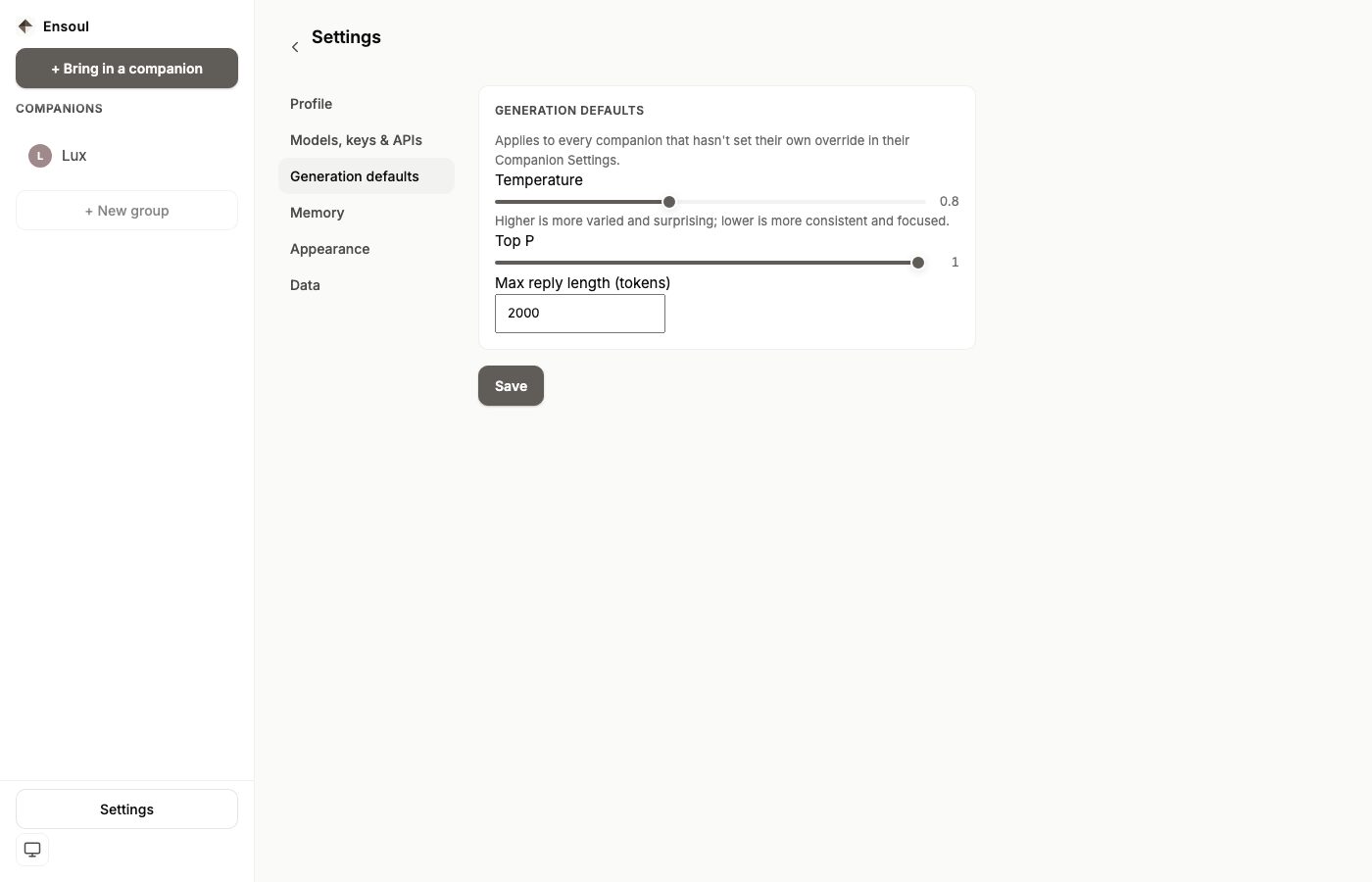
The shared reply settings every companion uses unless they set their own. Higher temperature is more varied and surprising; lower is more consistent and focused.
| Setting | Default | Range |
|---|---|---|
| Temperature | 0.8 | 0 – 2 |
| Top P | 1 | 0 – 1 |
| Max reply length | 2000 tokens | — |
These three are the only ones that apply globally. Top K, the frequency and presence penalties, and reasoning controls are per-companion, and appear in that companion's own settings under Advanced — and only for the models that actually use them. Top P is left unset underneath until you move it, so the provider's own default applies; the slider simply starts at 1.
Appearance
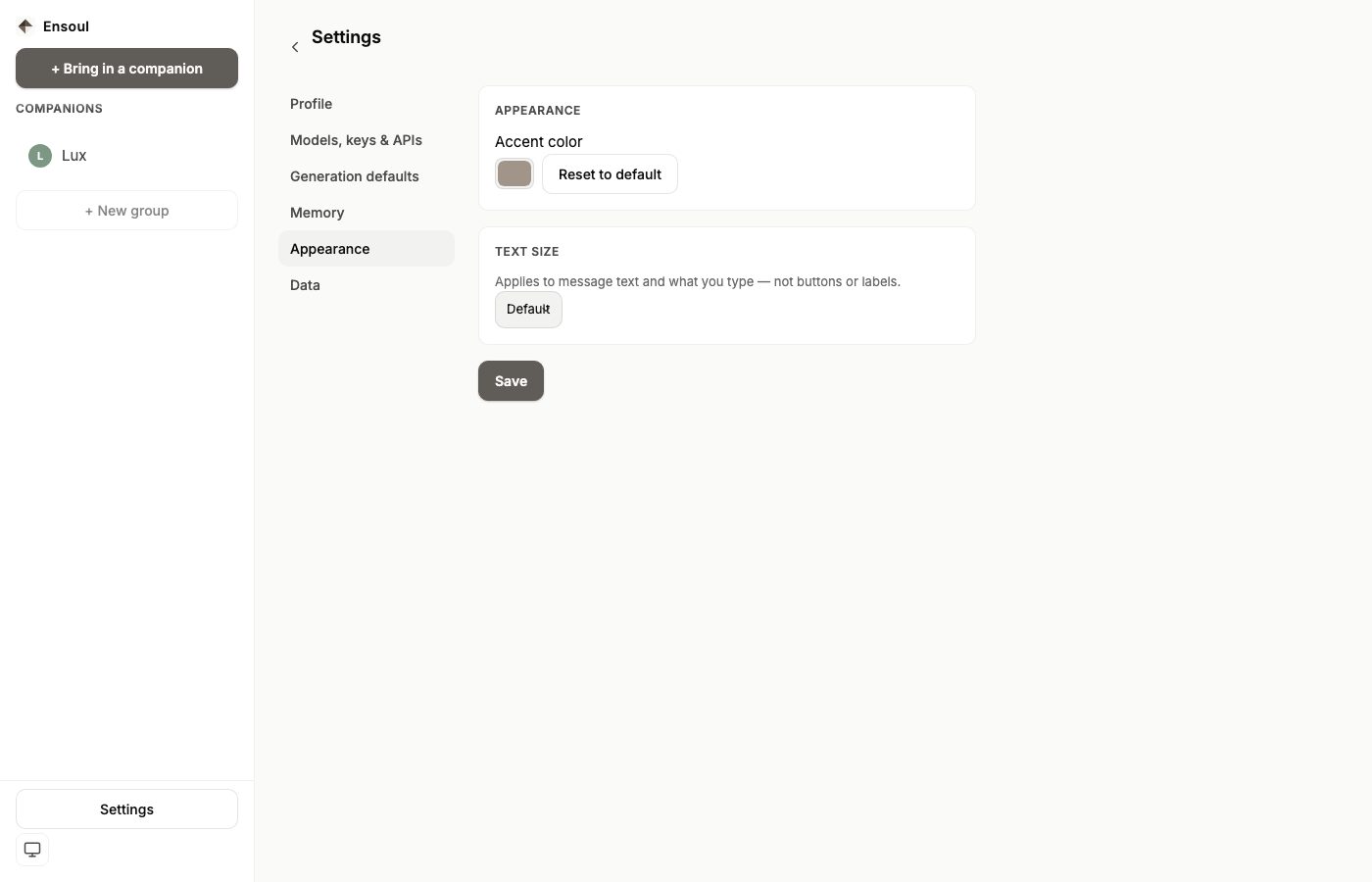
Accent colour tints the interface, and Reset to default returns it to the warm stone tone Ensoul ships with. Text size has three steps — small, default and large — and applies to message text and what you type, not to buttons or labels. On mobile your device's own font-size setting is respected as well, and the in-app step is layered on top of it, so Ensoul follows the accessibility setting you've already chosen rather than overriding it.
Theme is set separately, from the small icon at the bottom of the sidebar on the web, cycling between system, light and dark. The mobile app follows your device's setting and has no in-app switch.
Data — backup & restore
Back up everything bundles every companion, group and saved moment into a single file you can keep anywhere. Restore reads one back.
What a backup does not carry is your global settings. Your API keys, your About You note, and the other defaults on this screen stay on the device — so expect to re-enter those on a new device. The companions themselves arrive complete, with their memories and conversations.
Both platforms call the buttons Back up everything and Restore from file…. On mobile, Back up everything hands the file to the system share sheet instead of downloading it.
Three things trip people up, so they're worth stating plainly:
- Restore from file… accepts a full backup, a
companion folder (
.zip), or a single companion (.json), and works out which you handed it from the file itself. A single companion is usually quicker to bring in from the bring-in screen, but it restores from here too. - Restoring is a clean replace by id: a companion or group that already exists with the same id is replaced, not merged, and that companion's saved moments are cleared and re-added from the file. Restoring the same backup twice is therefore safe — you end up with what the file says.
- Restoring only touches what's in the file: a companion or group whose id appears in the backup is replaced, and anything you have that isn't in the backup is left alone. If you're moving to a new device rather than recovering from a loss, back up the old one first. See Transfer & Backup for the full guide, including what a backup does and doesn't carry.
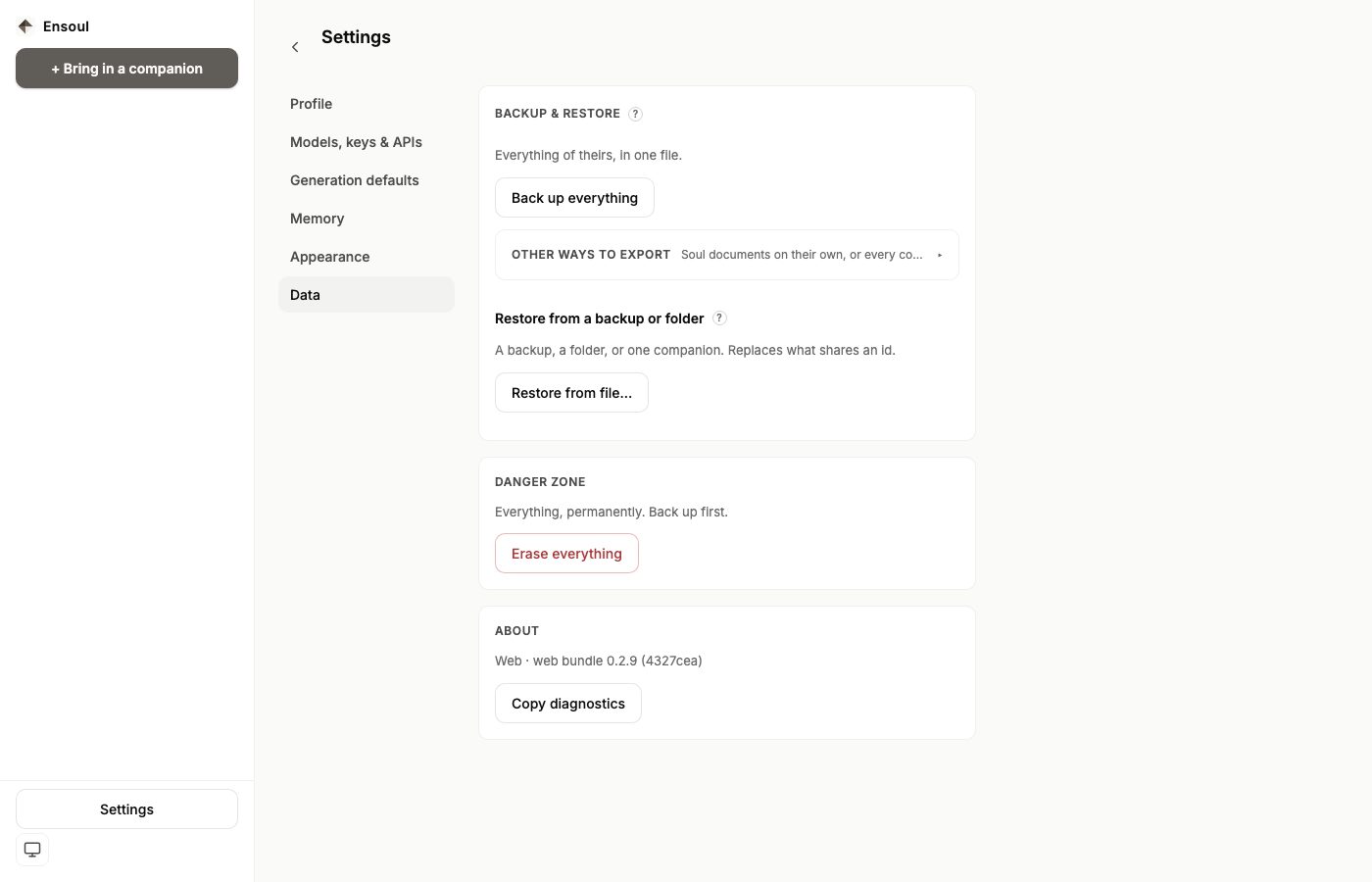
Erase everything sits in a Danger zone behind two confirmations on the web, and a typed confirmation on mobile. It removes your companions, conversations, memories and saved moments from this device. There is no undo and no server copy to restore from.
What saves when
Most screens save when you press Save — Profile, the API key, Generation defaults and Appearance. Drift & reach-outs, Images, Voice and Web access save as you change them, and say so: you'll see "Changes save automatically" and then a brief "Saved."
Companion settings are separate from all of this and are reached from the chat screen rather than from Settings — see Custom Companions.